
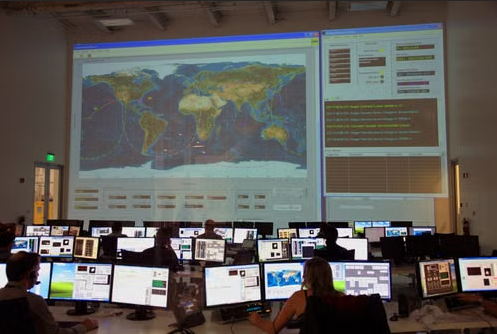
Hybrid IT environments can become difficult to manage quickly because applications, users, cloud platforms, on-premises systems, and network devices all generate different signals. Network monitoring helps teams watch performance and availability, while network observability adds deeper context about why problems are happening. On their own, each approach has limits. Used together, they can give IT teams a clearer view of what is happening across complex infrastructure and where to investigate first.
This article explains how network monitoring and network observability complement each other.
Key Takeaways
- Monitoring identifies network changes, while observability explains the wider activity connected to them.
- Behavioral context helps distinguish routine activity from changes that deserve closer attention.
- Cross-environment telemetry keeps investigations connected as issues move between endpoints, networks, applications, and cloud workloads.
- Stronger encryption makes metadata, logs, and service telemetry more important for maintaining useful visibility.
- Cloud cost, workflow outcomes, and user impact help turn technical signals into better operational decisions.
7 Ways Network Monitoring and Observability Work Together Across Hybrid IT
1. Turn Detection into Diagnosis
A network problem often first appears as a change in performance. Monitoring tracks latency, packet loss, bandwidth use, and interface availability, helping your team spot when something starts to drift.
From there, observability adds the context needed to investigate further. It brings together application traces, logs, and workload metrics to show whether the slowdown is linked to a cloud dependency, overloaded service, or delayed transaction. Open-source frameworks such as OpenTelemetry help collect and organize these different telemetry signals across distributed systems, making it easier to connect what is happening beyond the network itself.
When latency or packet loss starts to rise, a Network Monitoring service helps narrow down the affected area so your team can investigate the cause faster.
What Matters: Monitoring detects performance changes; observability helps trace what is driving them.
2. Add Behavior Around Metrics
Not every network change is a problem. The real question is whether the activity fits the normal patterns seen across users, devices, connections, and workloads.
That is where machine learning security can add real value. A large transfer may be routine for one workload but unusual for another. An after-hours login might be harmless on its own, yet it becomes more concerning when it appears alongside unexpected network activity. Responsive AI Cybersecurity Solutions can support this behavior-focused analysis across connected systems and cloud environments.
Observability then adds the surrounding operational context, helping you decide whether the activity reflects normal usage, a system change, or warrants closer attention.
What Matters: monitoring measures activity; observability helps you understand whether that activity fits the normal pattern.
3. Follow Issues Between Environments
If the activity appears unusual, the investigation often needs to extend beyond the network itself. Cross-environment tracing keeps that investigation connected as an issue passes between endpoints, applications, network paths, and cloud workloads.
Imagine a user suddenly loses access to shared files. The network path may still be reachable, while endpoint events reveal unusual file activity, and application data shows repeated failures. Looking at those signals together can strengthen ransomware protection by allowing endpoint behavior to be compared with related network communications rather than reviewed in isolation.
Adaptive Endpoint Detection and Response Solutions can identify suspicious activity, while observability connects those findings with events across the wider hybrid environment.
What Matters: monitoring follows the network path, while observability keeps the wider incident connected as it crosses systems.
4. Keep Context Despite Encryption
As investigations move across more systems, encryption can make parts of that journey harder to inspect directly. That does not mean visibility disappears; it means teams need to rely more heavily on the signals surrounding the encrypted connection.
According to NIST, organizations need visibility for troubleshooting and security operations, even though some inspection methods used with earlier TLS versions are less effective with TLS 1.3. The practical approach is to preserve strong encryption while relying on other telemetry sources to maintain operational awareness.
In practice, network monitoring can still reveal connection behavior and performance, while observability adds application logs, identity events, metadata, and service telemetry. IT Management services can help bring those layers into a more coordinated operational view.
What Matters: monitoring keeps the connection visible; observability adds context when the encrypted content itself cannot be inspected.
5. Link Performance with Cloud Cost
Cloud costs often reveal patterns that performance metrics alone do not. Cost-aware observability links resource usage and traffic patterns to spending, helping you identify where cloud efficiency can improve. It also shows which workloads or services are driving those costs, so optimization decisions are based on actual operational behavior.
For AWS optimization, that means looking beyond the final bill. Monitoring may show growing traffic or higher resource demand, while observability helps tie those changes to a specific workload, region, service, or architecture pattern. According to AWS hybrid networking guidelines, teams should maintain visibility into traffic behavior and associated costs across cloud and on-premises environments to identify more practical optimization opportunities.
With scalable AWS Computing Services, you can connect workload demand, network behavior, and resource usage to make more informed optimization decisions.
What Matters: monitoring shows how resources behave; observability helps connect that behavior to the cost it incurs.
6. Connect Infrastructure to Workflows
Cost is only one part of the story. You also need to know whether the business process using that infrastructure actually worked. Workflow observability bridges that gap by showing what happened at the application and transaction level.
Consider Dynamics 365 integration. The network connection between systems may be healthy, yet an import, export, or synchronization job can still fail inside the application. Microsoft describes that Application Insights telemetry can expose job progress, execution timing, detailed failures, and proactive alerts. When that information is viewed alongside infrastructure monitoring, your team can connect technical availability with the actual outcome users depend on.
Reliable Cloud Computing Service Providers support the environment that carries those workloads, while observability indicates whether the workflow completed successfully.
What Matters: monitoring confirms the systems can communicate; observability shows whether the business process actually succeeded.
7. Turn Signals into Priorities
By this point, you may have plenty of useful signals. The final challenge is deciding which ones deserve attention first. That is where impact-based prioritization brings monitoring and observability together at the decision-making stage.
A sudden increase in bandwidth might trigger network monitoring, but it may not require urgent action if users and services remain unaffected. If observability also shows slower application responses or degraded user experience, however, the same event becomes much more important. The extra context helps your team separate noise from issues that are actually affecting the business.
A security operations center can use that broader evidence to focus investigations where the potential operational or security impact is greatest.
What Matters: monitoring tells you an event happened; observability helps you decide how much attention that event deserves.
Conclusion
Hybrid IT becomes much easier to manage when monitoring and observability work as complementary layers instead of separate tools. Network monitoring gives you a reliable view of what the network is doing. At the same time, observability connects those signals to behavior, dependencies, encrypted service context, cloud costs, workflow outcomes, and user impact.
Together, they give you a more complete picture of an environment that may stretch across offices, endpoints, applications, and cloud platforms. The goal is not to collect more telemetry. It is to create a clearer path from detection to understanding, so your team can investigate faster, prioritize with confidence, and manage hybrid IT as one connected environment.
Connect network signals with a deeper hybrid IT context through Multiverse Solutions and make infrastructure decisions with greater clarity.
FAQs
Does network observability replace network monitoring?
No. Monitoring detects network conditions, while observability adds context that explains how those conditions affect the wider hybrid environment.
Why do hybrid IT environments benefit from both?
Hybrid environments span multiple systems, so monitoring detects network changes, while observability connects them to dependencies across those systems.
What telemetry works best with network monitoring?
Logs, traces, application metrics, endpoint events, identity activity, and workflow telemetry provide valuable context around monitored network behavior.
How do monitoring and observability support cloud efficiency?
Monitoring reveals traffic and resource behavior, while observability connects those patterns with workloads, services, and cloud spending decisions.
Where should teams begin with hybrid observability?
Start with one critical service, monitor its network path, then add observability around dependencies that monitoring alone cannot explain.